What it does
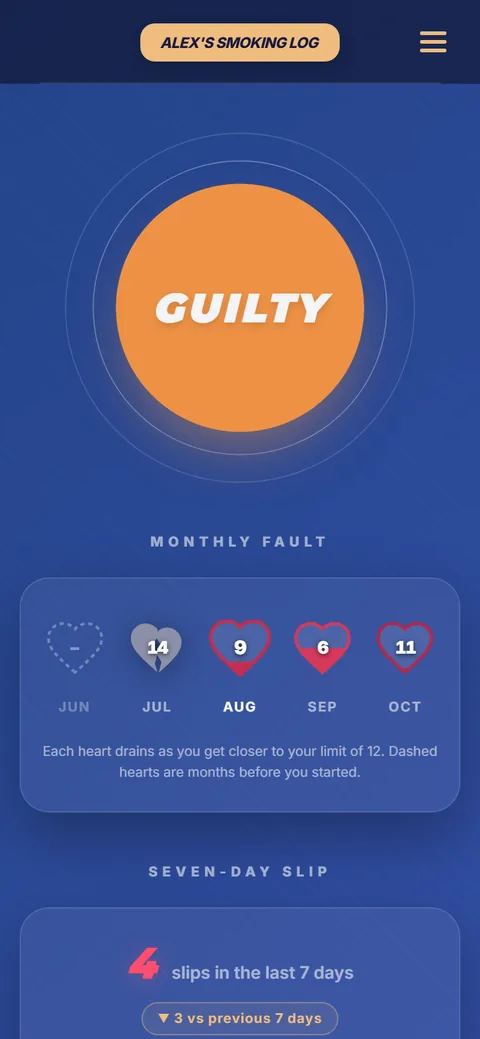
Smoking, drinking, junk food, endless scrolling: whatever you’re cutting down on, tap one big button each time it happens. The app quietly keeps count, so you can see how you’re really doing.
Start in a minute
-
Open the app
Click Open the app. It runs in your browser, on your phone or your computer. There’s nothing to download and no account to make.
-
Tell it about you
Type your name, the habit you’re tracking and a monthly limit, then choose a 4-digit PIN.
-
Tap when it happens
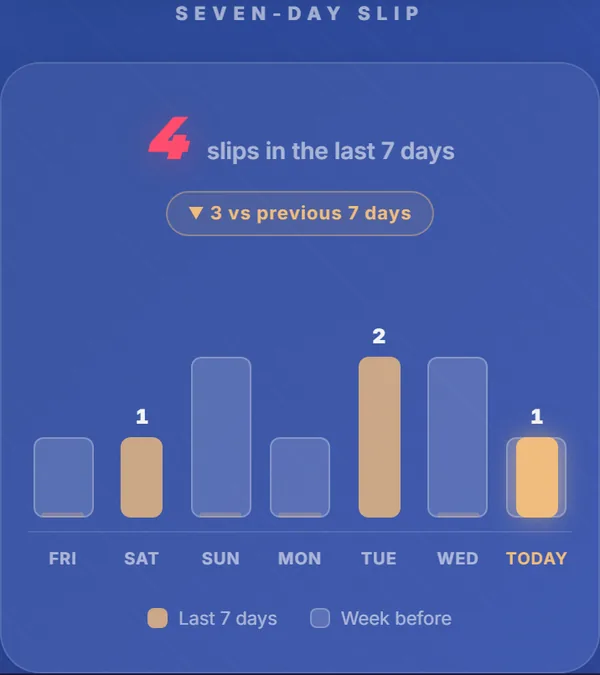
Each time you slip, open it and tap GUILTY. That’s all. The hearts and the week chart fill in by themselves.
Put it on your home screen
Add it to your home screen and it opens like a normal app, full screen, even with no internet. New versions arrive by themselves.
Private, for real
Because nothing is stored online, there’s no backup. Clearing your browser’s data, or switching to another phone or browser, starts you fresh.
Try How Many Times
Free, on any phone or computer.
Open the appMade by Mogdho Paul. Curious how it works? See it on GitHub.